
Step 1: Add chores
Set a family chore list once, or build a custom list for each kid. You pick what counts and what it pays.
How it works
Chortal turns the chore-and-allowance routine into a clear, repeatable loop: parents set the rules, kids do the work, parents approve the earn. There's no chat, no community, no card to manage — just the family loop that already exists at home, made calmer and more consistent. Here's how the three sides fit together: the parent side, the kid side, and the money habits the loop builds over time.
How it works
Chortal turns the chore-and-allowance routine into something kids actually look forward to — with you in the loop the whole time.
Set a family chore list once, or build a custom list for each kid. You pick what counts and what it pays.
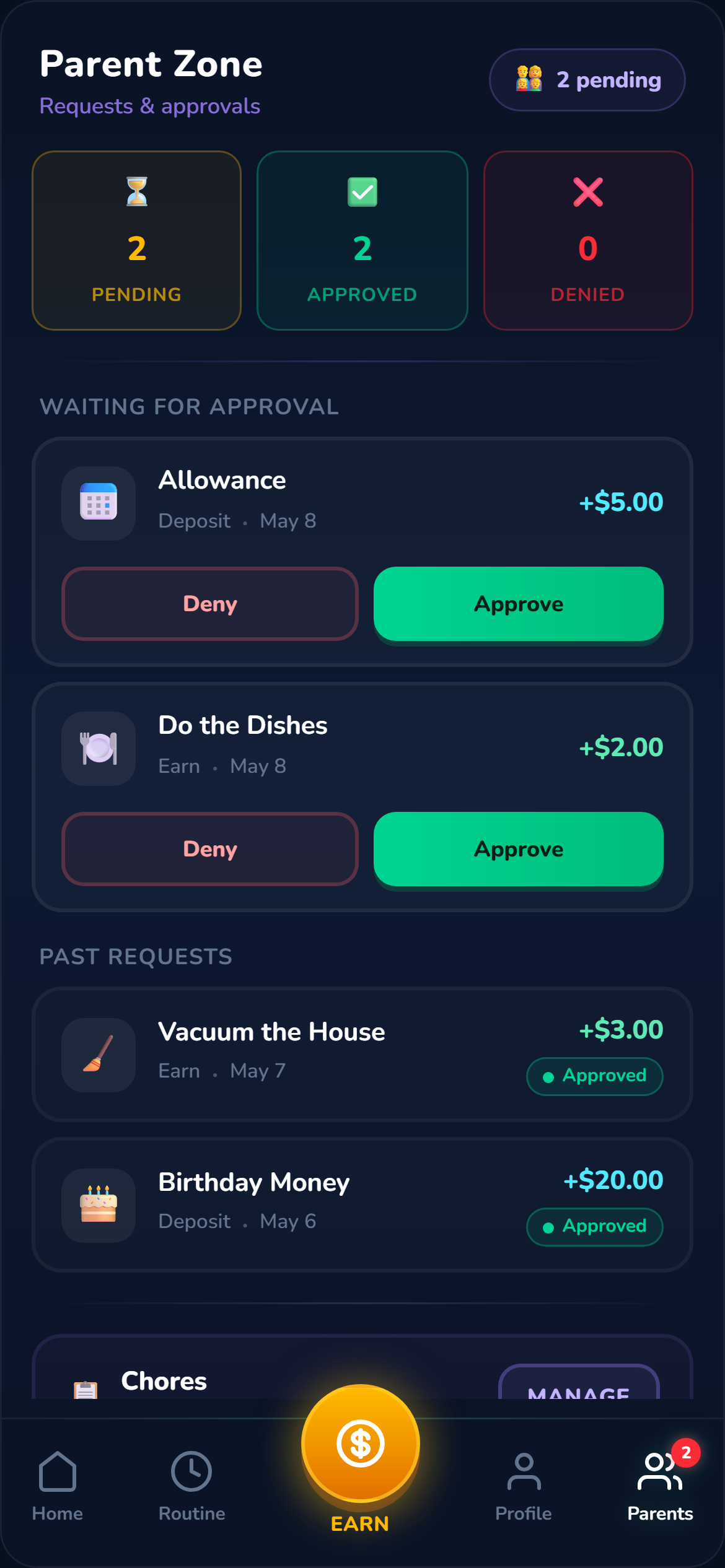
Kids tap to submit when they're done. You approve from any device, on your time — one tap to confirm.
Approved earnings show up as balance. Kids save toward goals, spend with your sign-off, and build real money skills.
You set up the chores once. There's a family list everyone shares and per-kid overrides for the things that only apply to one child. You pick what counts and what it pays — defaults are there if you want them, custom amounts work just as well.
When a kid submits a chore as done, it lands in your approval queue. One tap to confirm, from any device, with no app to install. Phone, laptop, tablet, work browser — same queue, same one-tap approve. Approval is the throttle: nothing pays out until you say so, and nothing surprises you. You're not babysitting the app, you're confirming work that already happened.
Kids open Chortal on their own device or yours — it's a web app, so any browser works. They see their list: what's expected today, what's a one-off, what they've already done. Tap to submit when something's finished and the chore moves to "Pending" until you approve.
Once you approve, the earning shows up as balance — the number actually moves on the screen, with a payday animation that makes the moment feel real. From there a kid can save toward a goal, ask to spend (with your sign-off), or hold for the weekly allowance to top things up. Streaks, surprise rewards, and savings goals are the parts that make kids keep coming back. Nothing addictive, nothing predatory — the loop is the loop.
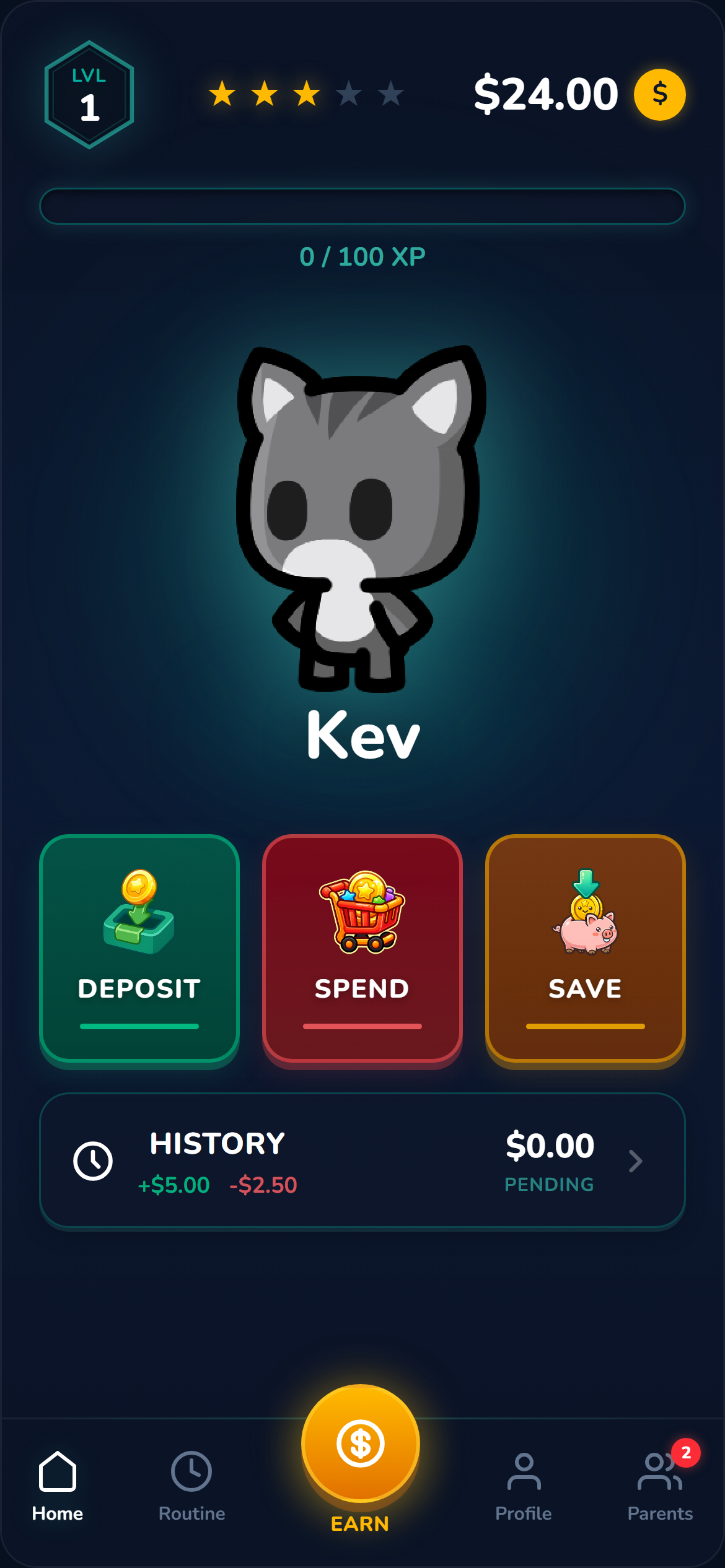
Chores are individual: a job, an amount, an approval, a payout. The kid does the thing, you confirm, the balance moves.
Weekly allowance is shaped differently. You pick a daily routine and a quota — for example, "five days a week of brushing teeth and bed made." Hit the quota by Sunday and a single allowance payout lands in your approval queue. Miss it and there's no payout that week — just an honest reset. Two shapes of earning, one approval flow. Read more about each on the Chores and Allowance pages.
Ready to see the loop in your own family?
Get Started